A few weeks ago, I received a package in the mail! Yay! Mail! This package contained a new product from Koala. If you don’t know, Koala makes crafting supplies. They asked me to try their new product and write a review with my thoughts and comments. This is how I came to write this Koala Product Review of the Koala Clear Waterslide Decal Paper for Inkjet.
So, today, I’m going to review the Koala Clear Waterslide Decal Paper for Inkjet that I received from them.
Full Disclosure – I got these products for “free” in exchange for my trying them and writing a review. The comments and findings are my own, but I did not purchase this product. Hopefully, that makes sense.
If you want to try out these items, you can use the coupon code below to receive 12% off products at Koalagp.com and A-Sub.com.
Coupon Code: LearnsStuff
So, let’s get this project started!
Koala Clear Waterslide Decal Paper for Inkjet
Let’s take a look at this product and see what we got. I have never used waterslide before, so I’m rather excited about this new craft supply.
What Does Koala Clear Waterslide Decal Paper for Inkjet Look like out of the package
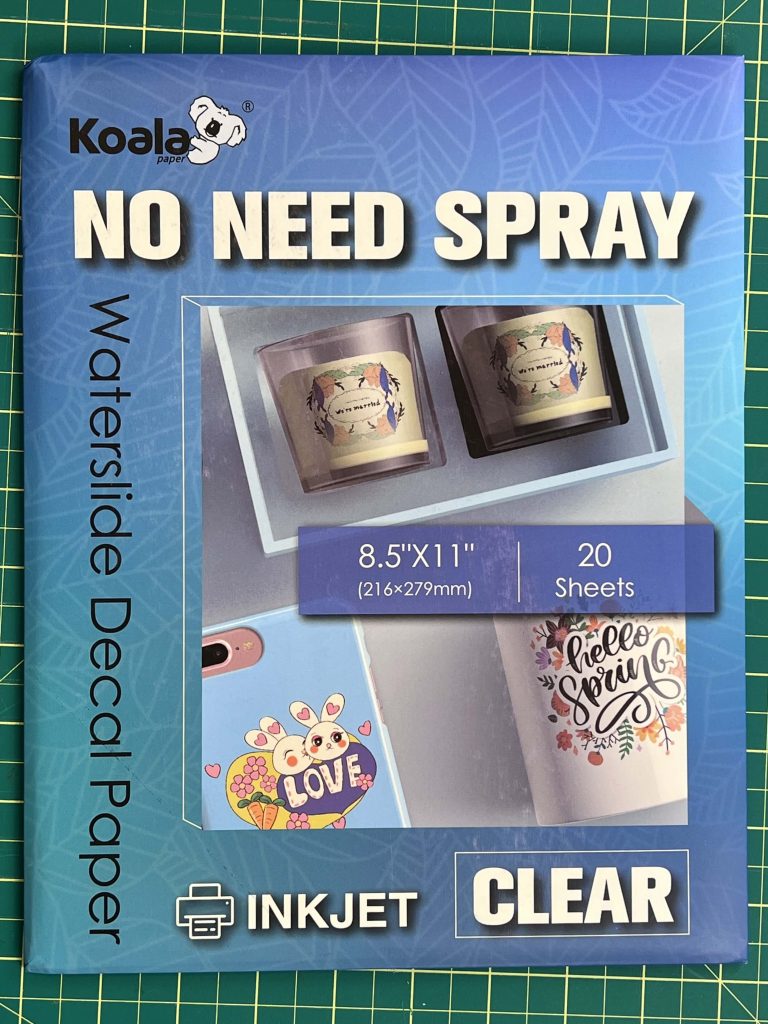
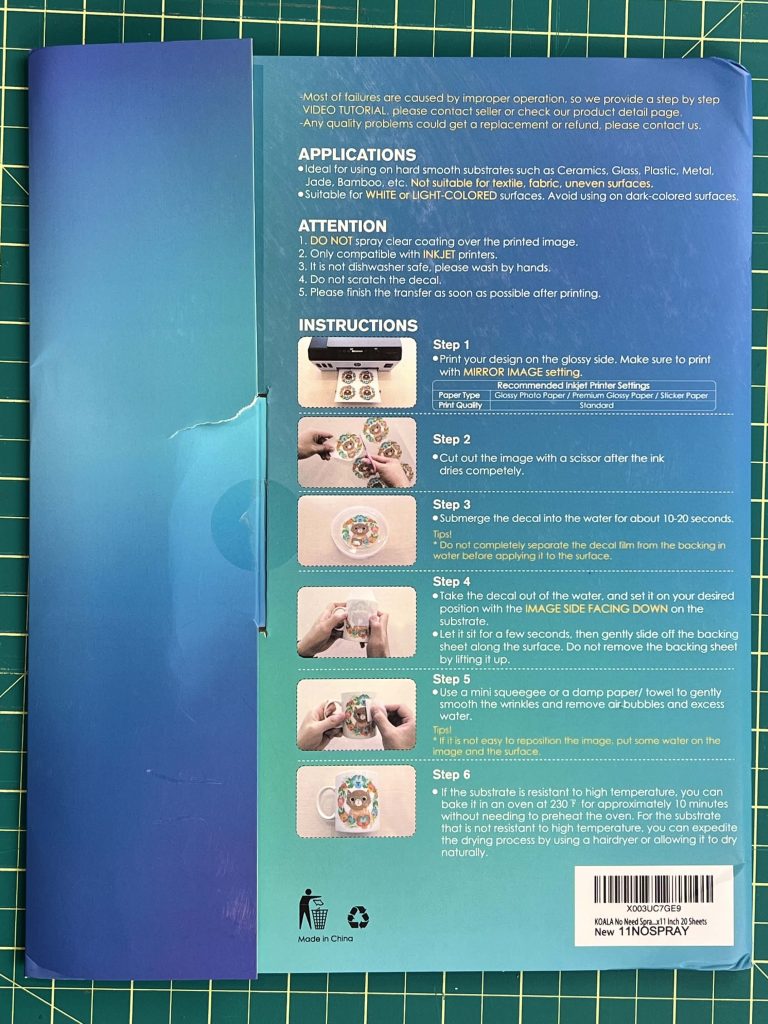
I want to quickly show you the packaging of this product. It’s nothing crazy, just a standard package, but Koala is nice enough to put the instructions on the back cover of the packaging. This is great because you don’t have to worry about losing it. And the steps to follow are really easy. Which is an added bonus.
Working with Koala Clear Waterslide Decal Paper for Inkjet – Making a Design
As with most crafts, you need a design. For this, I went to Canva.com and created some designs to use. You can get a copy of my images here at my shop. But you can use any design your heart desires.
The nice thing about this product is that you do not need to use a cutting machine for it. You can simply place images in any software, MS Word, Adobe, or whatever image editing software you like, and adjust the location of the images to maximize your material usage.
I used MS Word and placed 6 images on my waterslide sheet.
Printing on Koala Clear Waterslide Decal Paper
Before sending your design to print, read the instructions on the Koala Clear Waterslide Decal Paper for Inkjet package.
Normally, when printing designs that will be applied to any surface, I use “high quality” for my print settings. That is not recommended here.
And make sure to adjust your Printer paper to Glossy Photo Paper.
Also, if the design includes a message or words, you will need to mirror the design when printing. This is not required if you are simply using images.
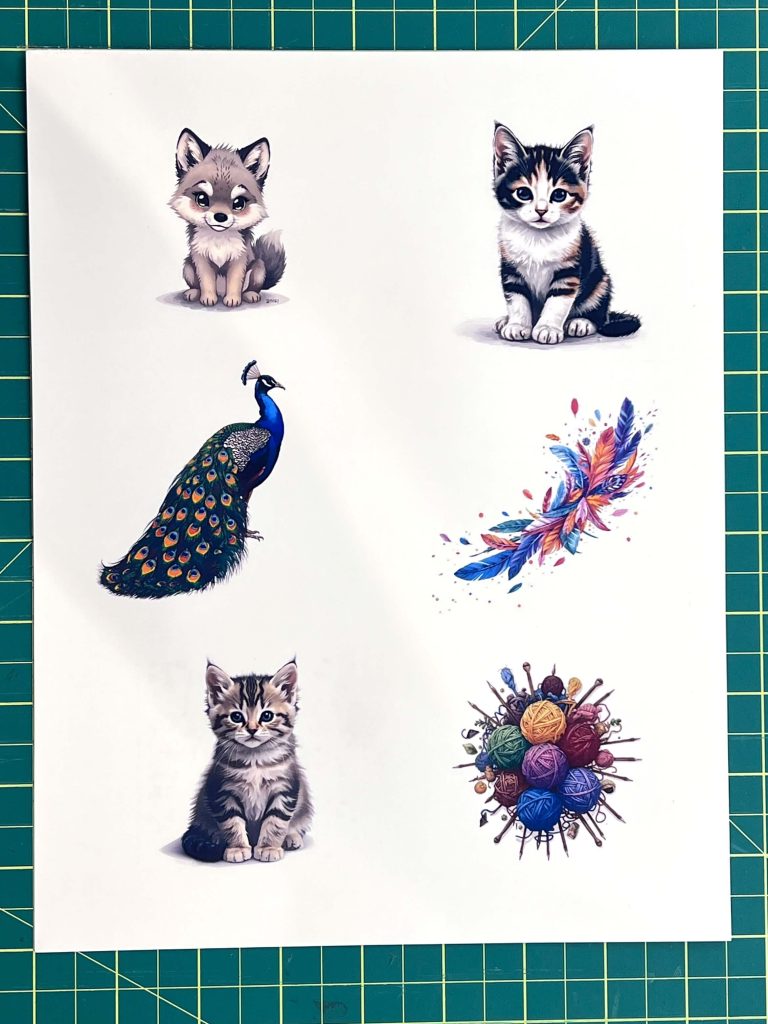
Cutting out the Waterslide Decal
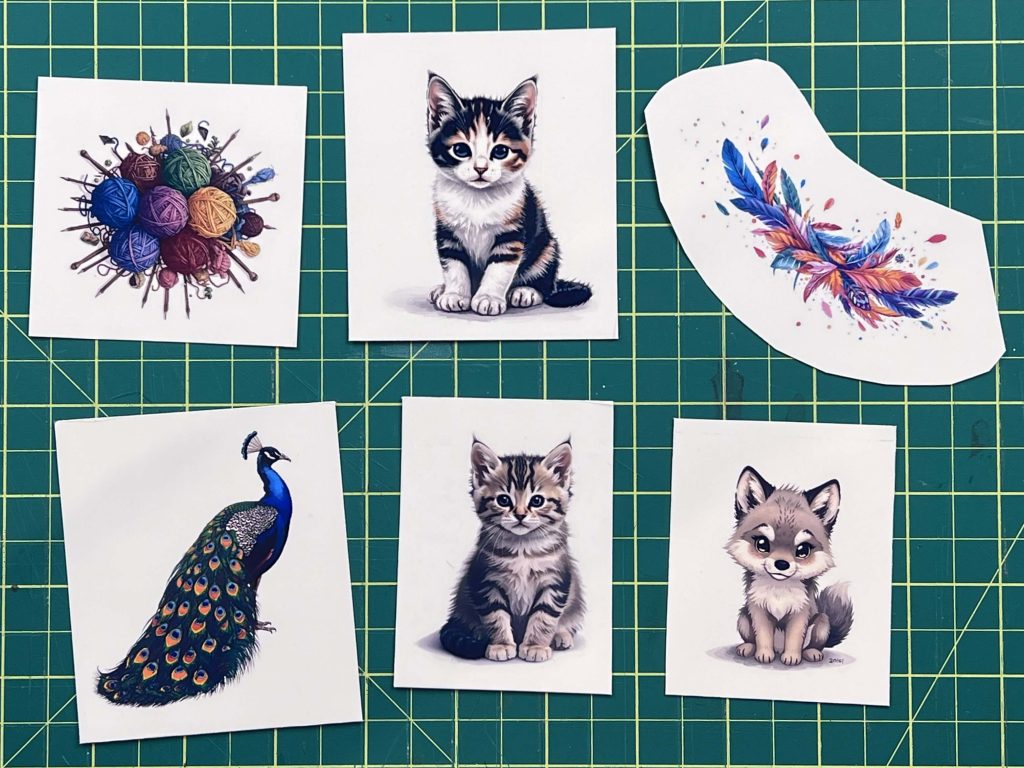
Depending on your design, you can cut the design out with a paper cutter or scissors. You can cut close to the edges of the design, or you can make it a box or a circle.
For my designs, I cut them into squares and rounded shapes that followed the design’s shape.
Applying the Koala Clear Waterslide Decal Paper to a Mug
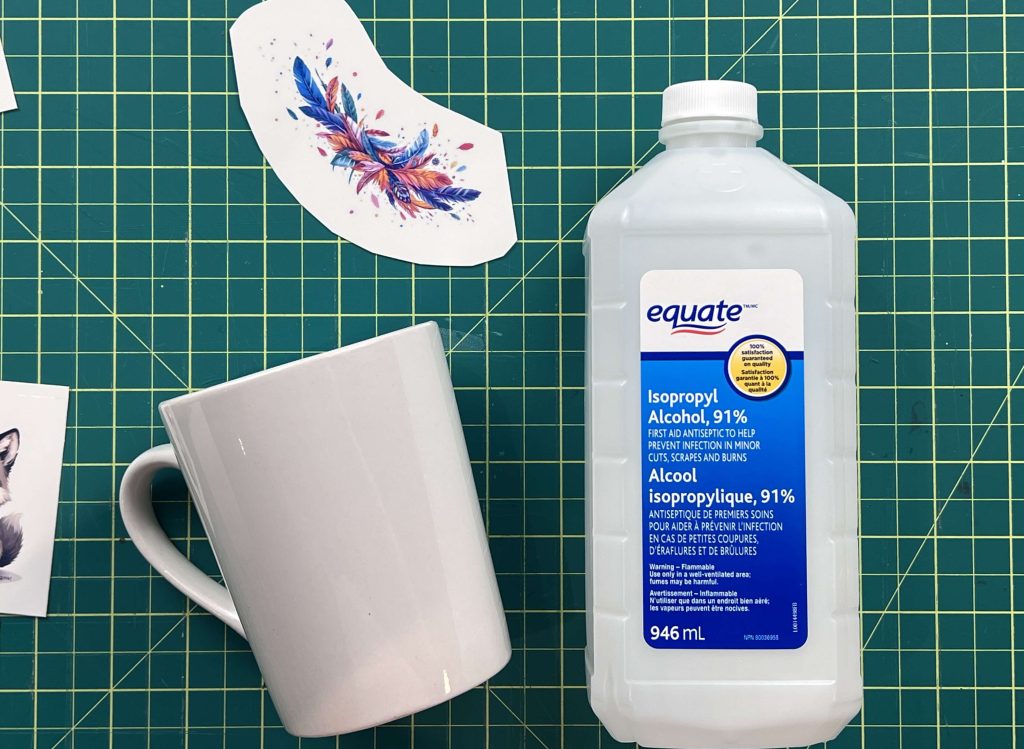
I thought I would try my hand at using standard white mugs to apply the decals to. I didn’t want to go too crazy on my first try. If you want to use your design on something else, keep reading, as I have a list of other items you can apply your designs to.
Before I started this craft, I cleaned my mugs with isopropyl alcohol so that they were guaranteed to be clean.
Once my designs were cut out, I simply placed the cut waterslide paper in the water for a few seconds. The instructions say about 10-20seconds. I worked on one mug at a time, so I only used one design at a time.
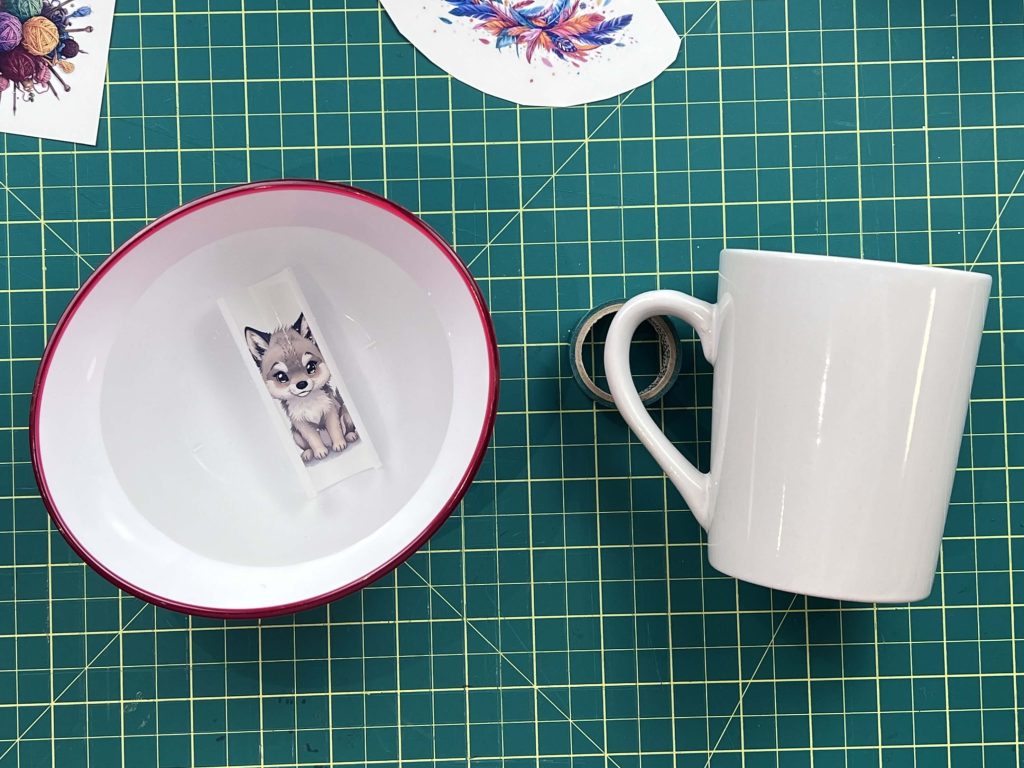
I also help my mug by placing a roll of tape under the handle to stop it from moving around while I work.
The moment the paper is placed into the water, it will start to curl up.
Once the design is fully wet, remove it from the water and place it design-side down on the mug, and the white side facing upwards.
At this point, the design on the mug will be slippery, so you want to place it in the correct spot and let it sit for a few moments.
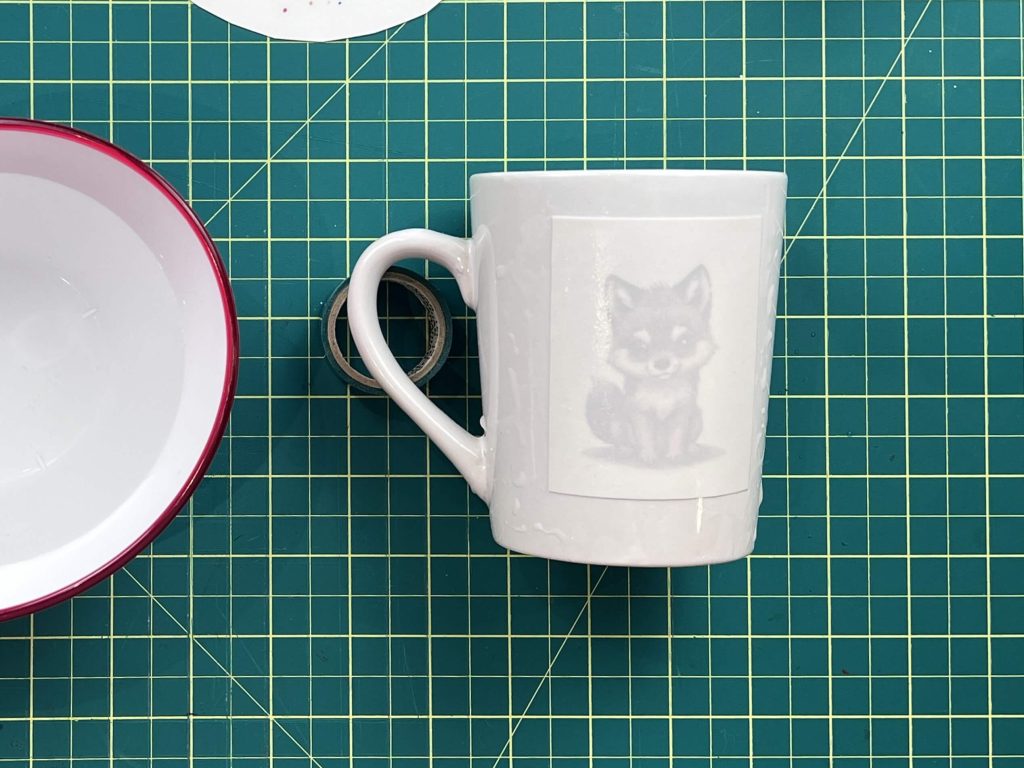
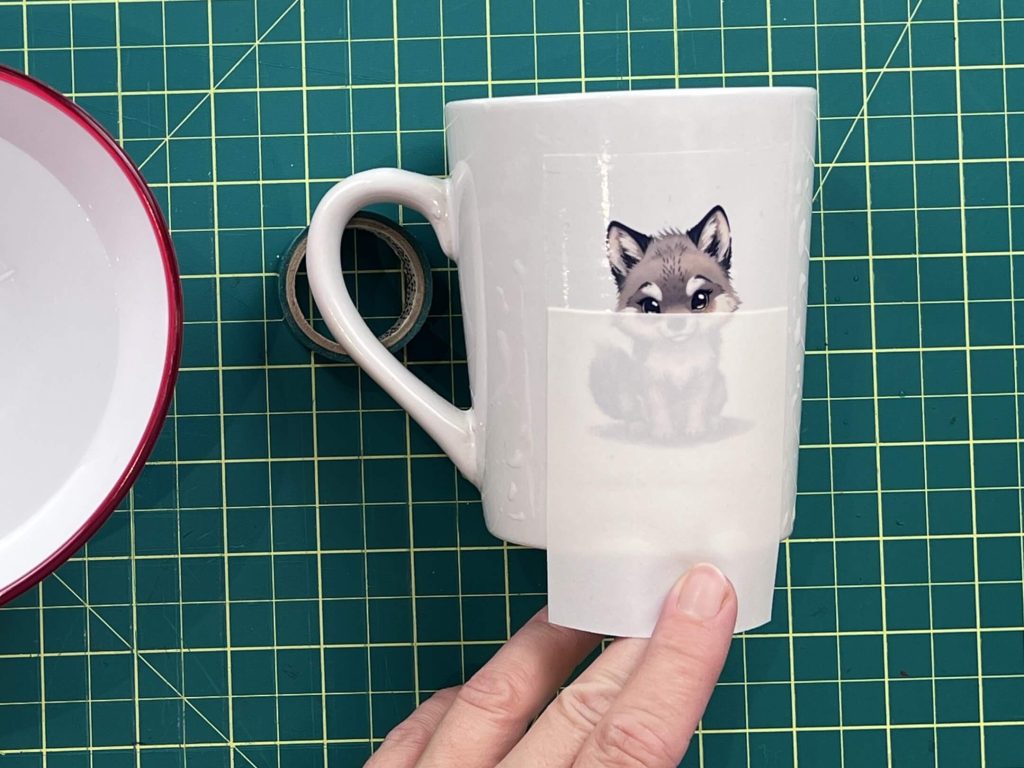
Then, slowly try sliding the top white paper down off the image. I found that once I started to move the white paper, it was helpful to hold the clear waterslide paper with my nail so that it would not slide off the mug.
Letting the Waterslide Decal Dry
This is a challenging part. Before the waterslide decal dries, all the air bubbles between the substrate (aka clear waterslide paper) and the mug need to be removed.
I used a wet paper towel to push from the center of the image outwards. When doing this, I held the design in place to keep it from moving around.
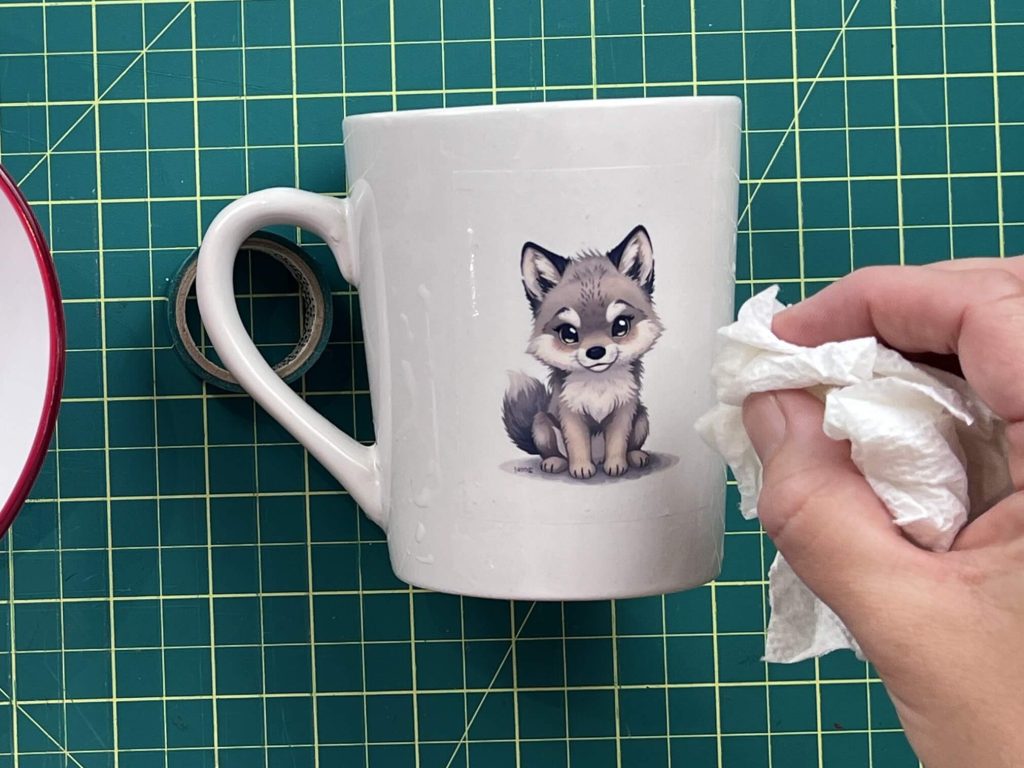
This moving around was a bit of a challenge to deal with, and a few of my first attempts resulted in the paper folding. On the bright side, this waterslide substrate is very durable, and I was able to unfold it and place it back on the mug with no issues.
Finally, the instructions say to place the final product in your oven at 230°F for 10 minutes to dry. I don’t have a non-food oven, so I was unwilling to put this into my oven to dry. If you are like me and don’t want the potential toxins from the ink in your oven, you can let it air dry or use your hair dryer to help it dry faster.
I let the mugs air dry in my workshop.
Final Results of Koala Clear Waterslide Decal Paper
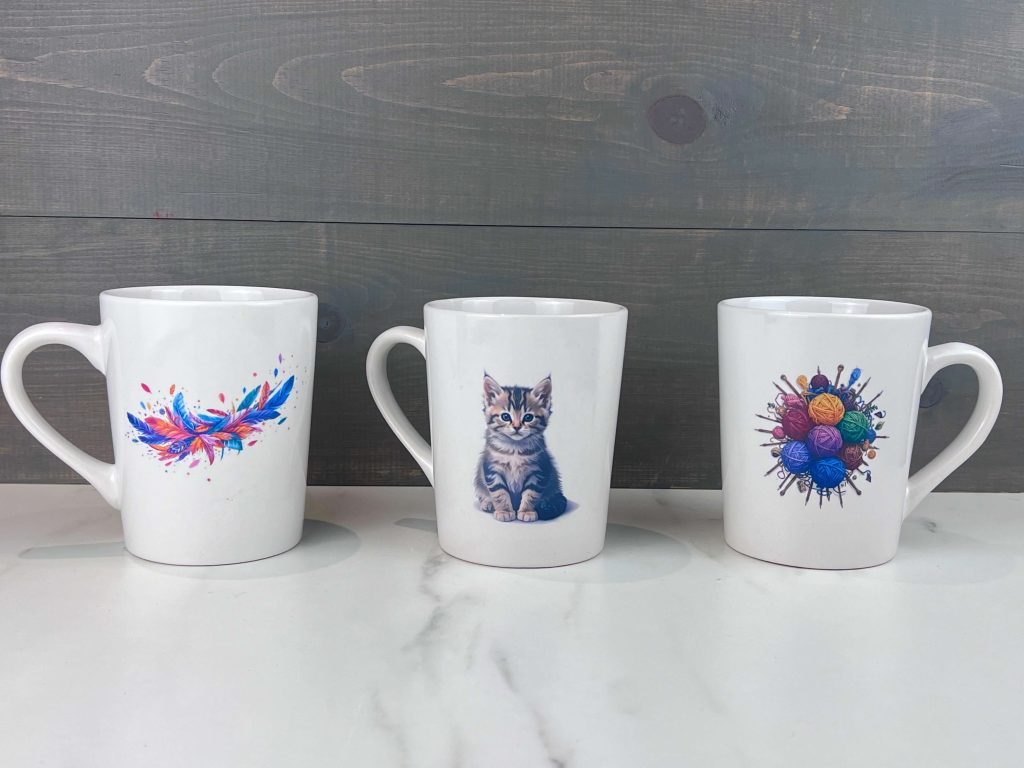
The color that went onto the waterslide paper was great! And it transferred onto my mugs, holding the color too! The whole process was quick and easy! And here are the results!
How does Koala Clear Waterslide Decal Paper stand up to washing
Now that I have a whole slew of mugs with fancy designs, I get to use them! Yay!
However, there is a drawback to using Waterslide Decals, and that is they are not dishwasher safe. In my house, everything goes into the dishwasher, so having to hand-wash these new mugs is a bit of a hassle, but that’s ok.
All the mugs have been used a few times now, and the design has stayed on with no issues. They still look as good as they did the day they were applied.
I’m not going to try them in the dishwasher just yet… maybe in a few weeks when I’m looking to change up the design on my mugs 😉
What surfaces can you apply Waterslide Decals to?
As I mentioned above, you don’t just have to put your waterslide decals on mugs. Although I think it is a great idea. But if you are looking for other ideas, here are some other surfaces you can put waterslide decals on:
- Mugs
- Glasses
- Decorative plates
- Candles,
- Windows,
- Notebooks,
- Phone cases
- Outside of laptops (being sure to keep water from entering the computer, though)
- Boxes/Bins
When working with waterslide decals, remember that any smooth surface will work! Let your imagination run wild with the possibilities!
Also, if you are using waterslide decals on dinnerware (like cups, plates, etc.), this product is not safe to eat off of (mainly because of the ink), so it is not recommended to be used on plates that you eat off of, or high enough on mugs/cups that it will touch your beverage while drinking.
Would I buy Koala Clear Waterslide Decal Paper again?
I really like the possibilities that the waterslide paper gives. I can see a lot of cool Xmas gifts happening with family pictures on mugs….
One thing I didn’t mention is this – this product doesn’t need any additional spray! All you need is this product! I did research on waterslide projects before using his product, and everyone said you needed a special spray for it. I was really discouraged about that, but when I finally got to using this Koala Clear Waterslide Decal Paper, I was pumped that I didn’t need any other supplies to make it work!
So, yes, I would buy this again.
If you want to try out this product, you can use this Coupon Code to get 12% off products at Koalagp.com and A-Sub.com.
Coupon Code: LearnsStuff
Final Thought on Koala Clear Waterslide Decal Paper
Some final thoughts and things I have learned:
- I love that this product is a standalone craft. I don’t need a cutting machine or any fancy tools. Just my printer and water!
- One thing I didn’t mention enough is the lack of required spray. This product doesn’t need any additional spray. All you need is this product! I did research on waterslide projects before using this product, and everyone said you needed a special spray for it. I was really discouraged about that, but when I finally got to using this Koala Clear Waterslide Decal Paper, I was pumped that I didn’t need any other supplies to make it work!
- I’m really happy with how the colors turned out on this. I was doubtful that the regular print quality would be enough, but it’s fantastic!
- When cutting out the images, I recommend using very sharp scissors or a new blade on your paper cutter. One of my images has a jagged edge as a result of an unsmooth cut, and this is very visible on the mug. The image is not peeling, but the edges of the waterslide paper are much more visible than on the other images.
- For these mugs, I maximized the number of images on my paper. While doing this, I knew that some images would be rounded and cut closer to the image than others. I think in the future, especially when working with mugs, I might leave more white space on the left and right sides of the images. This will allow the waterslide paper to wrap further around the mug, making the edges less visible.
Did you enjoy this Koala Product Review?
Did you enjoy this Koala Product Review? I know this isn’t what I normally do, but I thought I would try it out. Let me know if you learned anything from this blog post and if you enjoyed this Koala Product Review. Also, let me know if you have used this product and how you like it.
You can read my other Koala Product Review here.