
Do you have to buy Cricut pens to draw and write with your Cricut?
Nope! At least not with the Cricut Explore Air 2 that I use.
Over the years, I’ve tried all kinds of regular pens and markers in my Cricut — everything from inexpensive BIC pens to Crayola markers, Sharpies, and even markers from the dollar store.
Some fit right into the machine, some need a little help, and some require you to remove the accessory adapter from Clamp A.
If you already have a drawer full of pens and markers at home, there’s a good chance you may be able to use some of them instead of buying another set just for your Cricut.
A quick note before we start: I originally tested all of the pens and markers in this post using my Cricut Explore Air 2. These are my own experiments with third-party pens and markers, not official Cricut compatibility recommendations.
Newer Cricut machines — including the Explore 5 and Maker 5 — use a different pen holder, and Cricut Joy machines also have their own pen system. If you have one of those machines, these particular tricks may not apply to you.
This post contains affiliate links. I may receive a commission if you purchase an item through one of my links, at no additional cost to you.
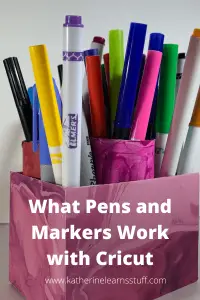
Quick Answer: Which Regular Pens and Markers Work With Cricut?
If you just want the short version, here are some of the regular pens and markers I have personally used successfully with my Cricut Explore Air 2.
| Pen or Marker | Did it Work? | What I Used |
|---|---|---|
| BIC Pens | Yes | Rubber band |
| Studio/Dual Tip-style Markers | Yes | Adjust position |
| Elmer’s Markers | Yes | Pen grip |
| Original round Staedtler Markers | Yes | Check barrel shape |
| Crayola Fine Line Markers | Yes | Fits in accessory adapter |
| Crayola Broad Line Markers | Yes | Remove accessory adapter |
| Crayola ColorFX Markers | Yes | Pen grip |
| Crayola SuperTips | Yes | Pen grip |
| Sharpie Fine Point Markers | Yes | Pen grip |
SHOP THE ONES I USE:
This post contains affiliate links. I may receive a commission if you purchase an item from one of my links. This will not change the price you pay.
- BIC Pens
- Studio/Ohuhu Style Makers
- Original round Staedtler Markers
- Crayola Fine Line Markers
- Crayola Broad Line Markers
- Crayola SuperTips
- Sharpie Fine Point Markers
- Pen Grips
Keep reading because how you put each pen into your Cricut matters. Before starting a real project, I always recommend doing a quick test draw first.
How to Use Regular Pens and Markers With Cricut
Regular pens come in all different shapes and sizes, so there isn’t one method that works for every pen.
Before modifying anything or removing pieces from your machine, start with the easiest option.
First, See If the Pen Fits
Open Clamp A on your Cricut and try inserting your pen into the accessory adapter.
I like to support the bottom of Clamp A with one hand while gently inserting the pen with the other.
Depending on the pen, you may need to move it slightly until you find the position where it sits securely.
Pay attention to the depth of the pen tip. You don’t want the pen sitting too high, but you also don’t want it pushed so far down that the tip is pressing hard against your project.
Once the pen seems secure, do a test draw on scrap paper before using it on your actual project.
That little test can save you a lot of wasted cardstock!
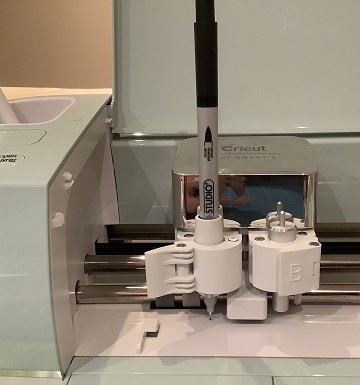
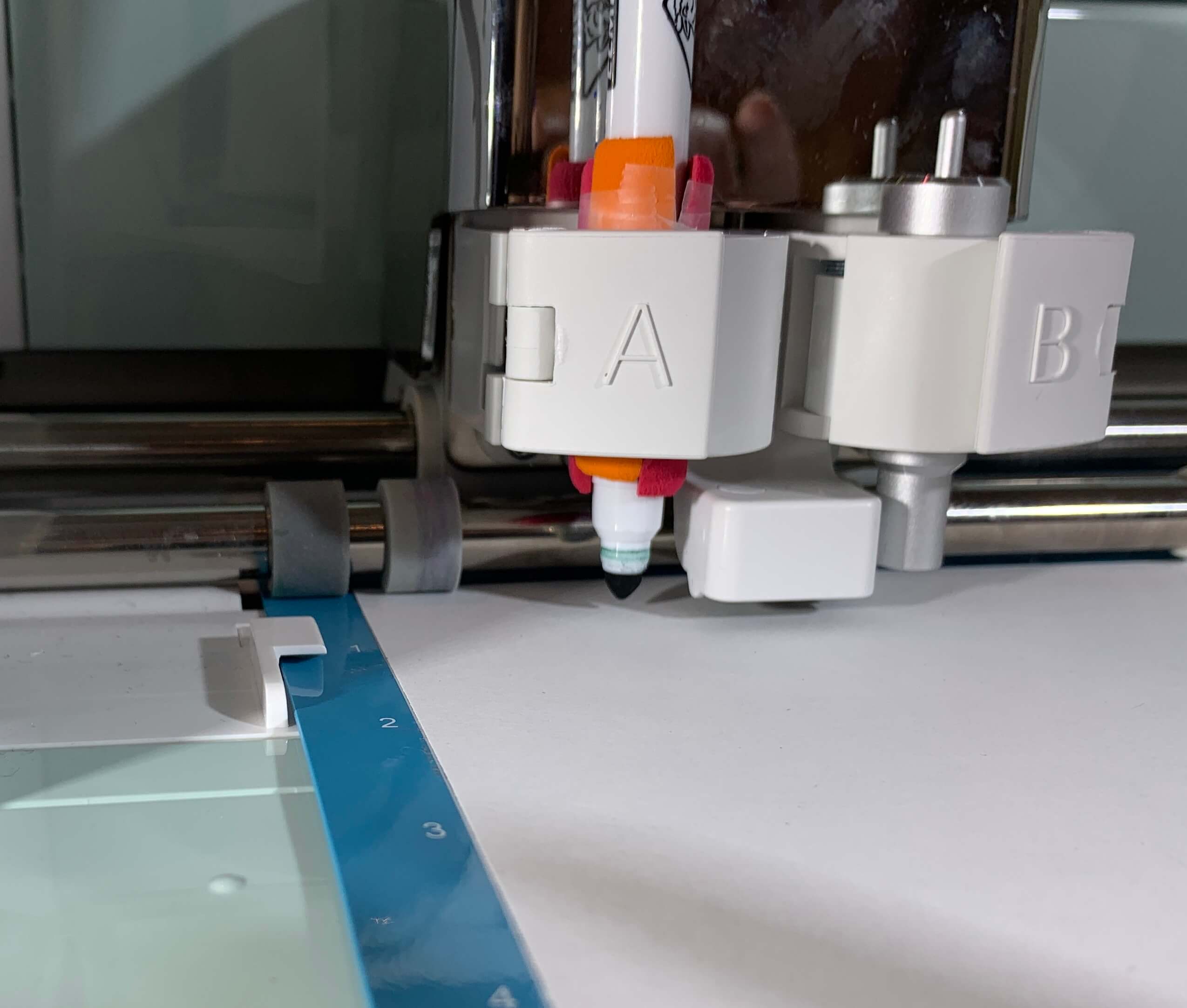
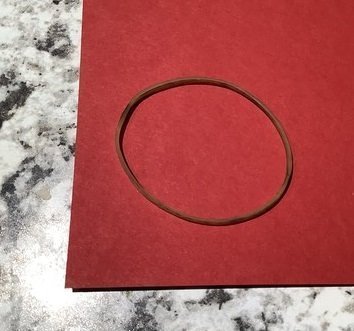
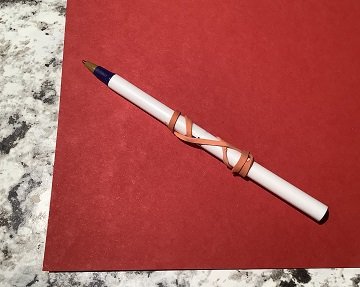
Trick #1: Use a Rubber Band for a Pen That’s Too Small
This is probably my simplest regular-pen Cricut hack.
If a pen fits into the accessory adapter but is a little too narrow and moves around, wrap a small rubber band around the barrel of the pen.
The rubber band gives the pen a little extra thickness and helps it sit securely in the adapter.
Once I find the right position, I leave the rubber band on the pen.
I’ve also used a small piece of tape to mark exactly where the pen should sit. That way, the next time I use it, I don’t have to figure out the correct depth all over again.
One BIC pen I used this way lasted me about a year and a half — and I used it regularly!
Trick #2: Use a Pen Grip
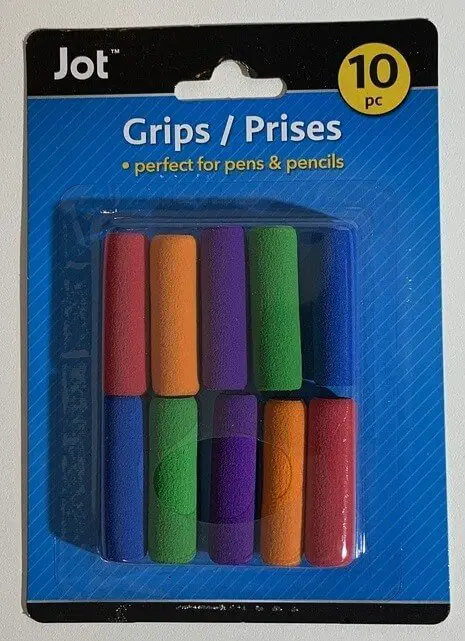
Remember those little rubber grips that you put on pencils and pens to make them more comfortable to hold?
They’re surprisingly useful with a Cricut.
A simple rubber pen grip can help make a narrow pen or marker wide enough to sit securely in Clamp A.
I’ve found inexpensive ones at the dollar store, or you can find them online.
- Buy Pen Grips HERE
Trick #3: Remove the Cricut Accessory Adapter for Thicker Markers
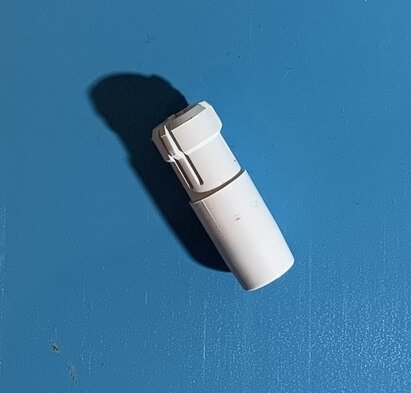
For some thicker markers, you may need to remove the plastic accessory adapter from Clamp A.
Cricut calls this piece the accessory adapter. In older versions of this post, I called it the pen barrel — and honestly, “the pen thingy” also works. 😂
To remove it on my Explore Air 2:
- Open Clamp A.
- From underneath, gently squeeze the tabs on the bottom of the accessory adapter.
- Push the adapter upward and out of the clamp.
The adapter sits fairly tightly, especially the first time you remove it, so don’t be surprised if it takes a little effort.
Once it is removed, a thicker marker can sit directly inside Clamp A.
Be gentle when removing the adapter. You don’t want to damage the tabs.
If you ever need to replace yours, replacement accessory adapters are now available.
- Buy a CRICUT REPLACEMENT ACCESSORY ADAPTER HERE
You can also buy third-party adapter sets that are designed to fit a wider variety of pens:
- Check them out HERE
Regular Pens That Work With Cricut
Now let’s get into the pens and markers I’ve actually tested.
Remember: all of these tests were done using my Cricut Explore Air 2.
BIC Pens
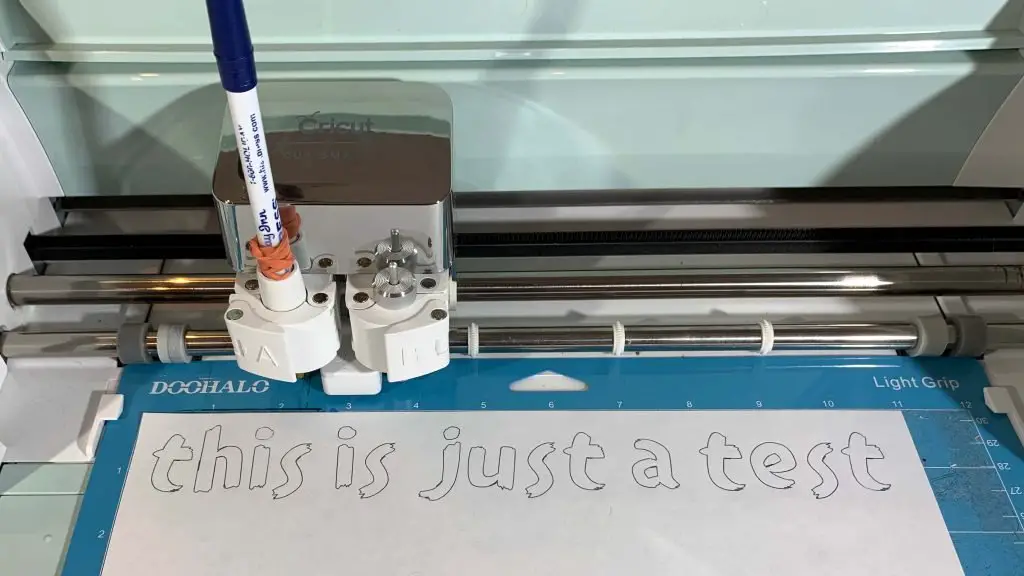
BIC pens have worked extremely well for me.
They are narrower than Cricut pens, so I wrap a small rubber band around the pen to stop it from moving inside the accessory adapter.
They’re inexpensive, last a long time, and they’re especially useful when I’m experimenting with a new design and don’t want to use up a more expensive pen.
One of mine lasted for about a year and a half of regular use.
Regular Markers That Work With Cricut
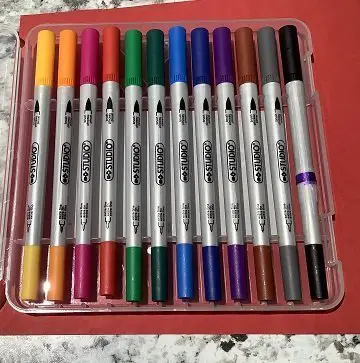
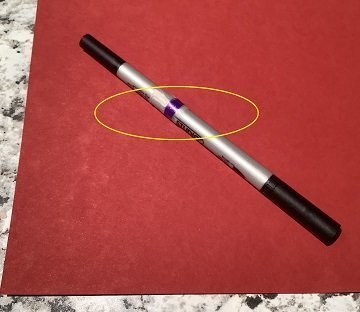
Studio / Ohuhu-Style Markers
I buy a lot of my craft supplies at the dollar store, and I found Studio markers there that worked well with my Cricut.
They just needed to be positioned at the correct depth before I started drawing.
The markers I purchased are similar in shape to these Ohuhu art markers:
- Buy Dual Tip Markers HERE
Elmer’s Markers
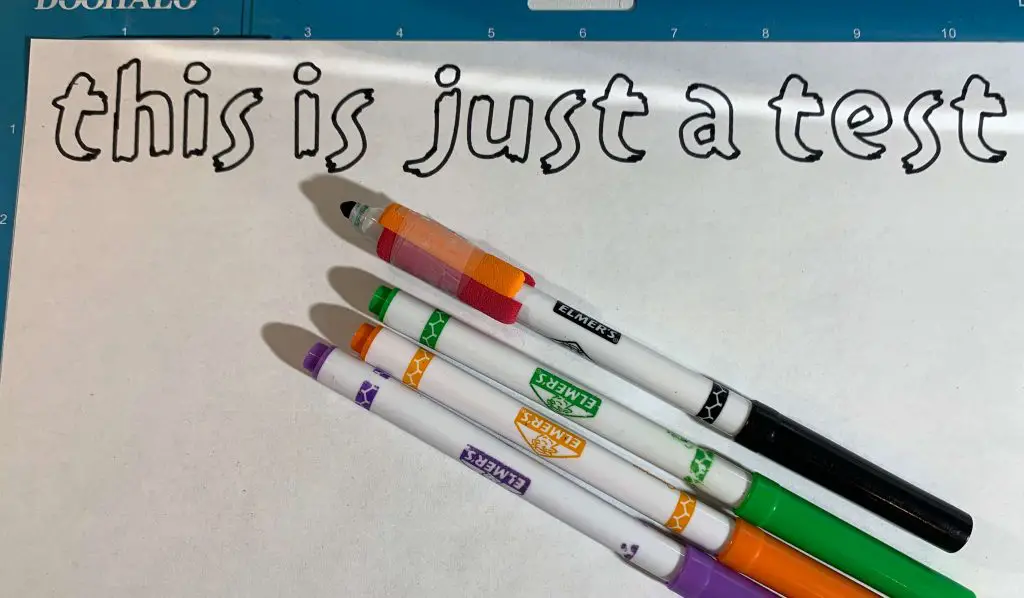
I’m pretty sure these originally came from Walmart because I found them in my kids’ marker bin!
I was able to use the Elmer’s markers by adding a pen grip to help them sit securely.
Staedtler Markers
I successfully used the older, round-barrel Staedtler markers with my Cricut.
However, some Staedtler markers now have a triangular barrel. The triangular version I tested did not fit the same way.
So if you’re purchasing these specifically to use in your Cricut, check the shape of the actual marker before buying.
They can also be fairly expensive, so I wouldn’t necessarily purchase them just as a cheap Cricut pen alternative.
- Buy Staedtler Markers HERE
Crayola Markers That Work With Cricut
Crayola gives us several surprisingly good options.
Crayola Fine Line Markers
The Crayola Fine Line markers worked with the accessory adapter still installed.
I didn’t need to use a pen grip with these.
- Buy Crayola Fine Line Markers HERE
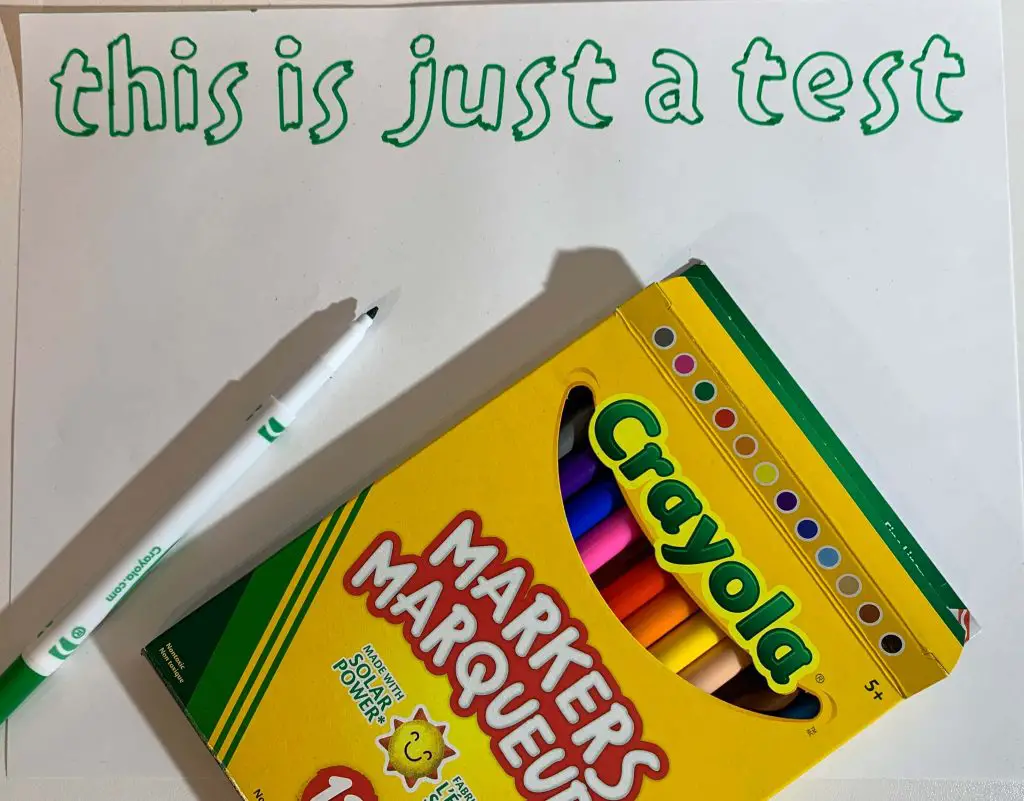
Crayola Broad Line Markers
The Broad Line Crayola markers are thicker.
I was able to use these by removing the accessory adapter and placing the marker into Clamp A.
I didn’t need a pen grip.
- Buy Crayola Broad Line Markers HERE
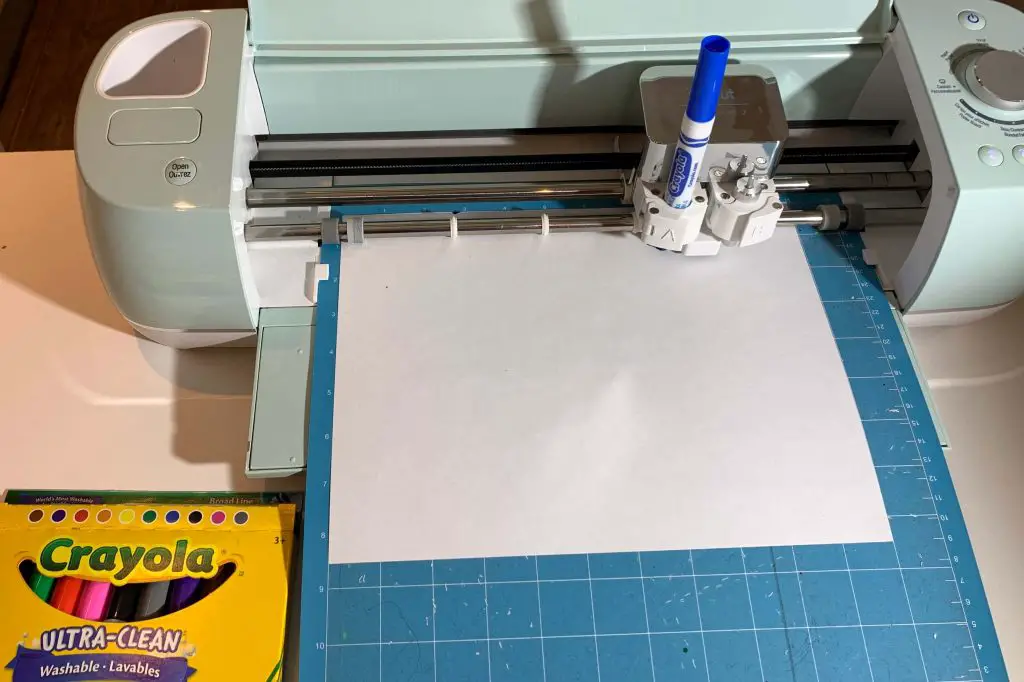
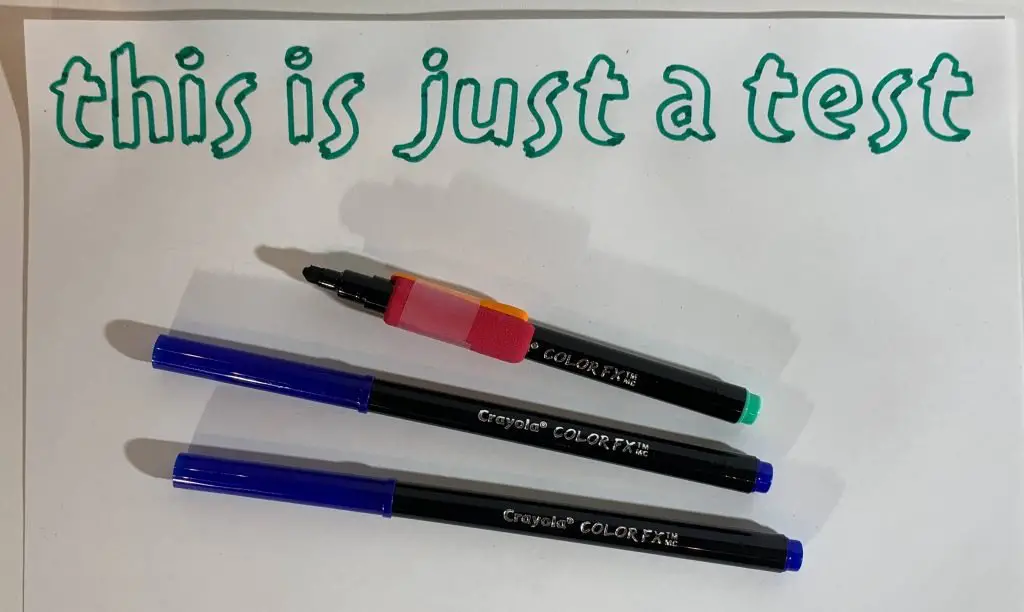
Crayola ColorFX Markers
The Crayola ColorFX markers also worked for me, but I found that they sat more securely when I used a pen grip.
Crayola SuperTips
Crayola SuperTips are another option I’ve successfully used.
I used a pen grip to help them sit securely in the machine.
- Buy Crayola SuperTips Makers HERE
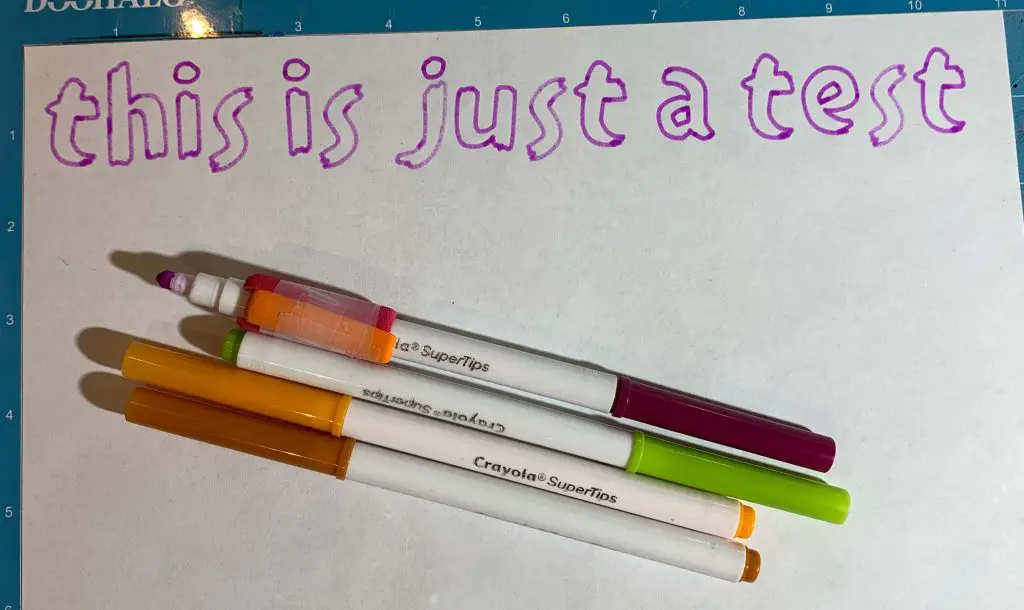
The ColorFX and SuperTips markers I tested were very similar in size and shape, so I used essentially the same method for both.
Can You Use Sharpies in a Cricut?
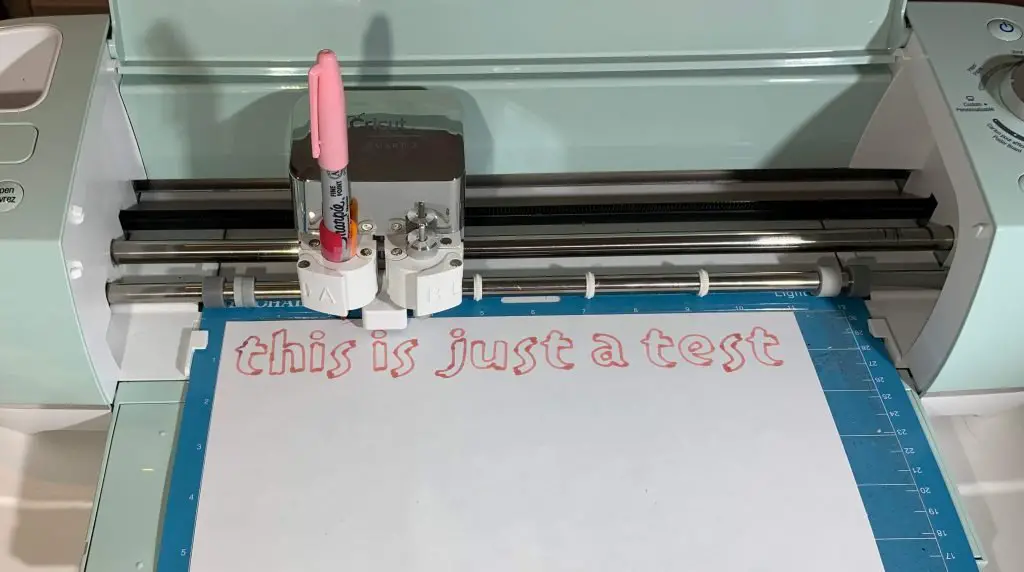
Yes — I’ve successfully used Sharpie Fine Point markers in my Cricut Explore Air 2.
I use a pen grip to help the Sharpie sit securely in Clamp A.
Sharpies are especially handy because they’re easy to find and available in so many different colors.
- Buy Sharpie Fine Point Markers HERE
What About Other Pens and Markers?
There are countless brands of pens and markers out there, and I obviously haven’t tested all of them.
If you already have something at home that you’d like to try, compare its size and shape with the pens above.
Start by checking whether it fits securely with the accessory adapter still installed.
If it is too narrow, try a rubber band or pen grip.
If it is too wide, it may fit after removing the accessory adapter.
And always do a test draw on scrap paper first.
I would much rather waste one little piece of scrap paper than ruin the project I’ve spent the last hour making!
If you’ve found another regular pen or marker that works with your Cricut, leave me a comment below. I’d love to hear what you’re using.
Ready to Put Those Cricut Pens to Work?
Now that you’ve figured out which regular pens and markers you can use, let’s actually make something with them!
One of the fun things you can do with the Cricut drawing feature is create your own coloring pages in Cricut Design Space.
I’ll walk you through the entire process step-by-step:
- LEARN HOW TO MAKE COLORING PAGES WITH CRICUT HERE
Was This Helpful?
I hope this helped you look at that drawer full of pens and markers a little differently!
You don’t necessarily need to buy another complete set of supplies every time you want to try something new with your Cricut. Sometimes the supplies you already have are exactly what you need.
If you’ve tried any of these pens — or you’ve discovered another brand that works — let me know in the comments.
And if you enjoy Cricut projects, tips, troubleshooting and crafty ideas, you can join my newsletter below.
Don’t forget to sign up for my newsletters! You’ll get inside tips on upcoming posts and additional behind the scenes details about what’s happening on the site!

Such a cool article! didn’t know this! thank you so much for sharing
So many pro tips here for using CriCut, thank you for putting this together! My daughter is obsessed with all these markers and she just uses them by hand. 🙂